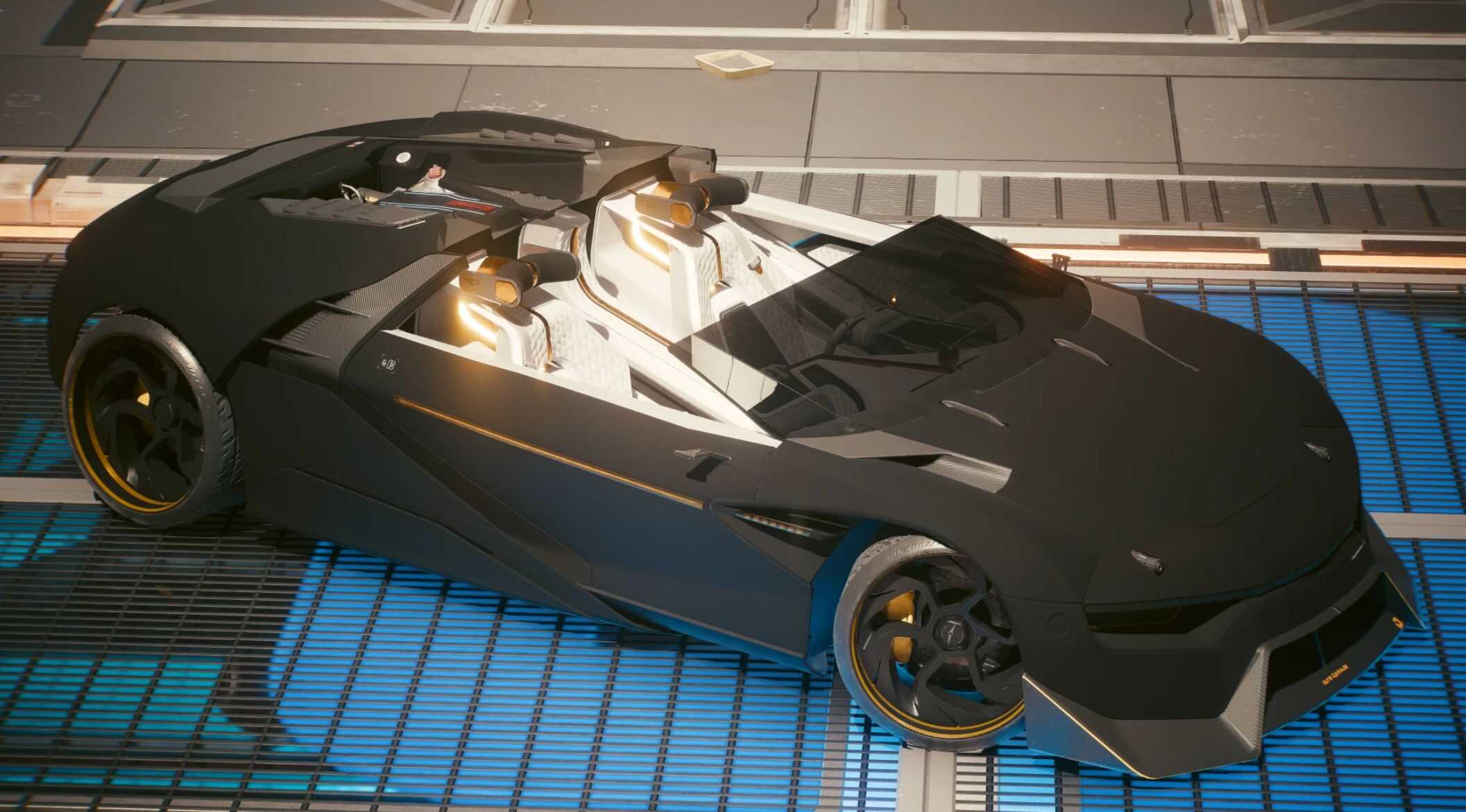
Double Calibre v1.0.7
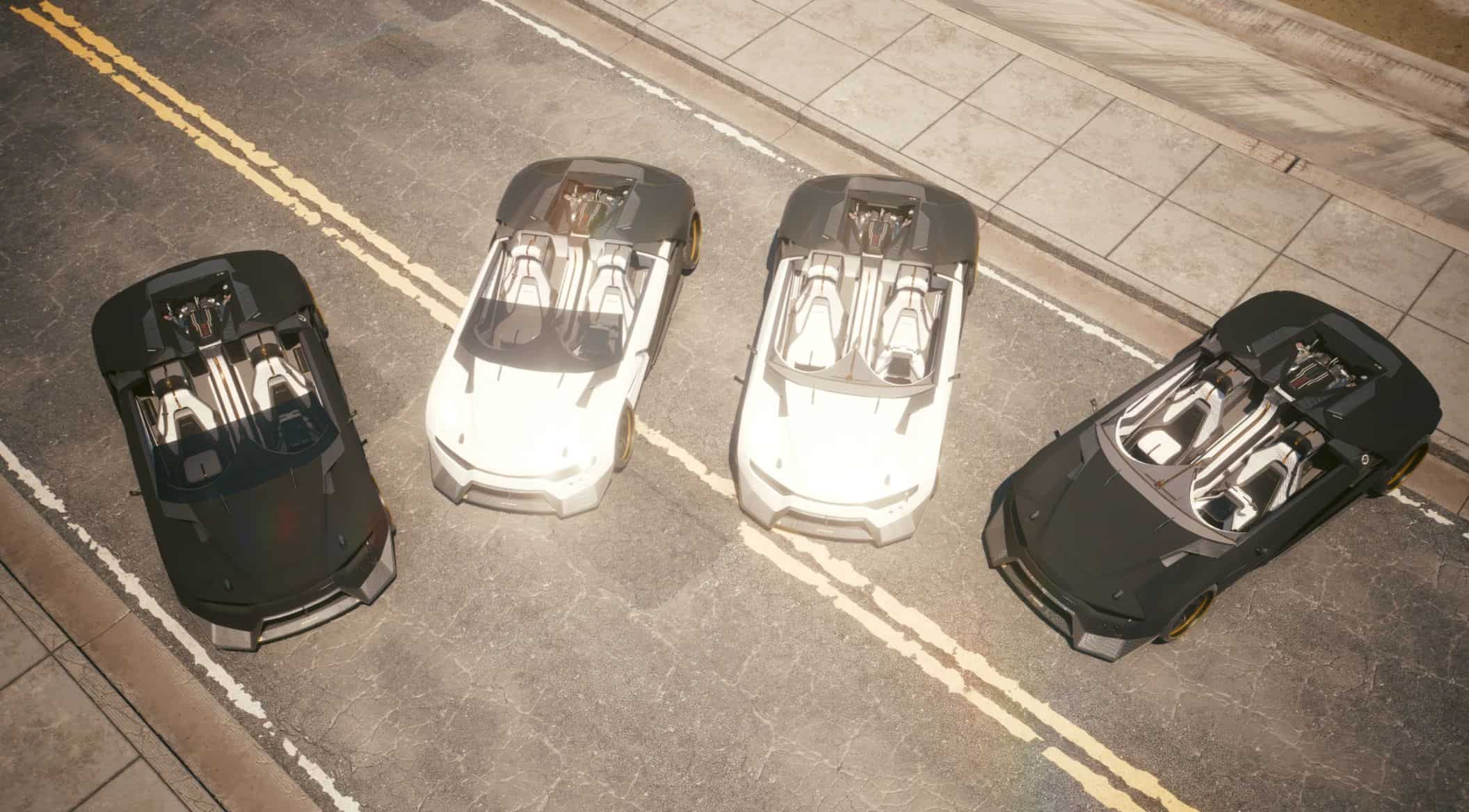
New roadster variants added!! Crop top Caliburn – Crystal coat – Quad turbo 2.3 2.31
DLC requirements
– Phantom Liberty
Requirements
a href=”https://www.cyberpunk2077mod.com/archivexl-v1-4-8/” rel=”noopener” target=”_blank”>ArchiveXL
Cyber Engine Tweaks
TweakXL
RED4ext
Virtual Car Dealer
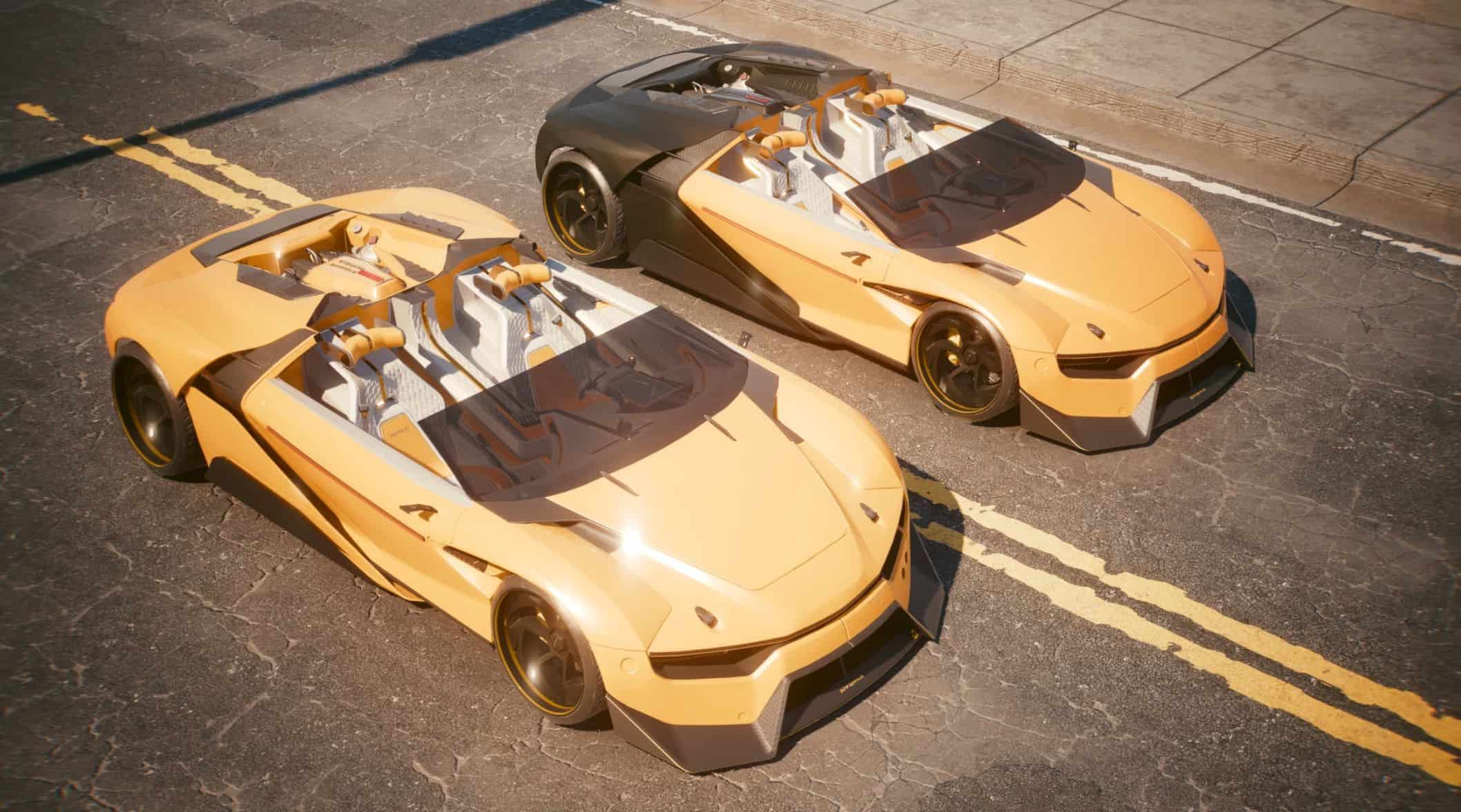
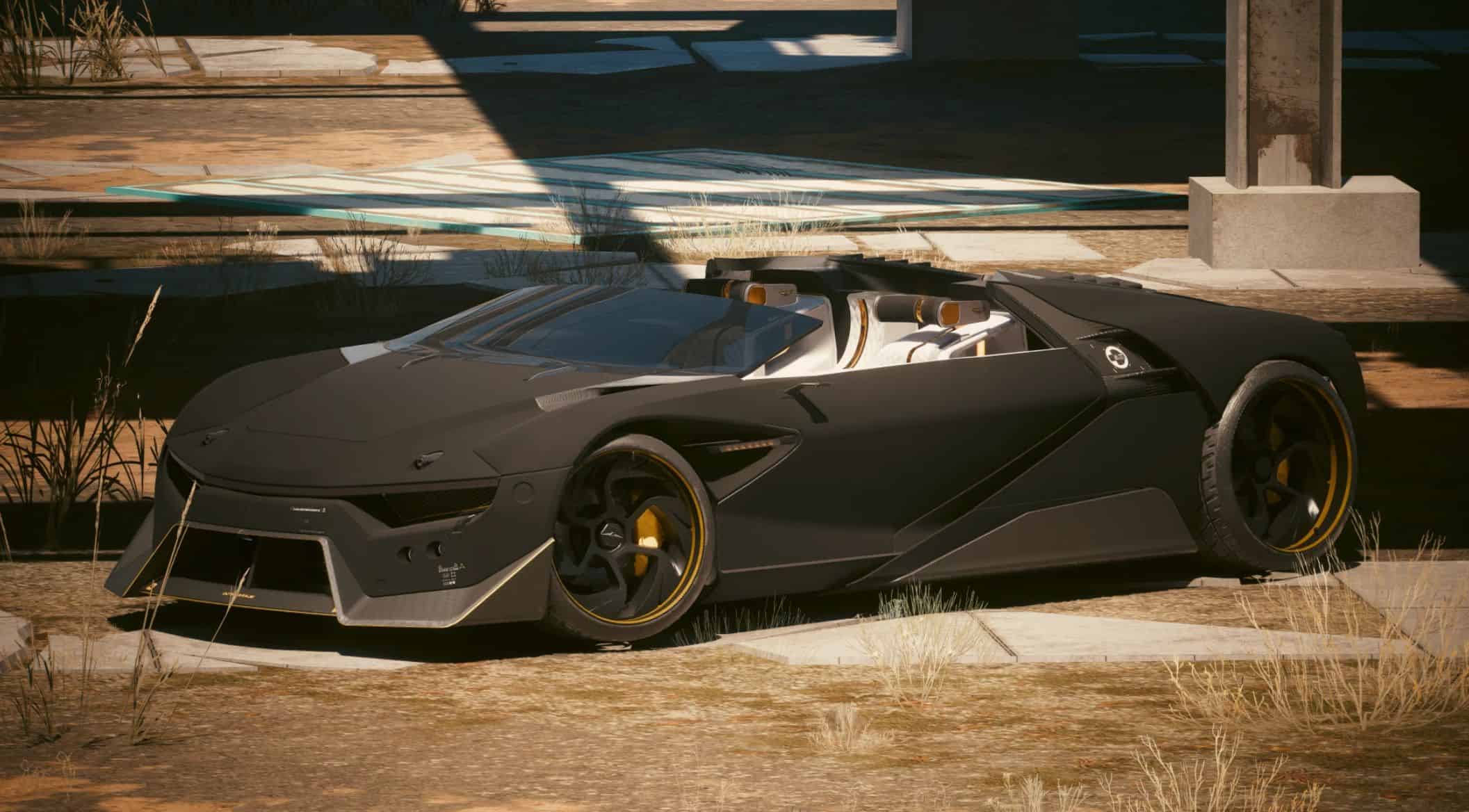
Slightly wider, a tad more power, no roof, glass windscreen and custom colours to suit your mood. What more could you wish for in a Caliburn.
Now with 2 new versions – All 4 vehicles can be owned at the same time.
Main vehicle variant has single body Crystal Coat with the wheels as secondary CC.
“TT” Two tone variant has rear half and wheels as secondary CC.
Accent colours in the interior also update with Crystal Coat.
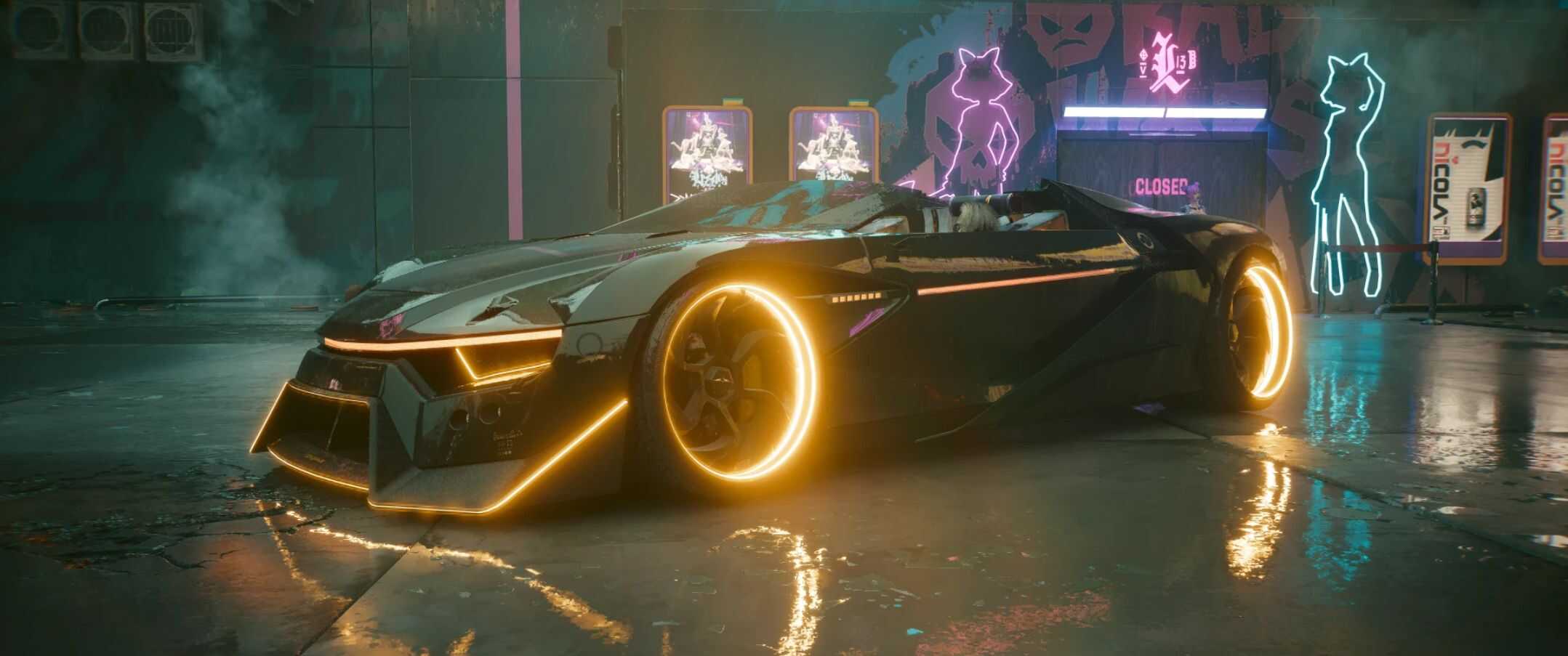
Wheel light colours change with headlight colours. (Use headlight toggle to turn them off.)
Both variants can be added to your car list at the same time, either by using the CET codes, or purchasing the second colour option in VCD.
Priced slightly higher than a standard Caliburn from Autofixer.
FEATURES:
• Full Crystal Coat support with two vehicle options
• Custom Crystal Coat ui
• Active aerodynamics – larger rear spoiler and active aero side blades
• Crop top – targa – drop top – roofless call it what you will.
• Glass windscreen
• Original dual cannons retained – weaponized vehicle
• Unique standalone vehicle
• Two variants
• Player stash at the front.
KNOWN ISSUES:
• Will mess up your hair style at high speeds
• NOT tested with 2.21 may crash game due to crystal coat system – 2.21 version to be added soon.
SUMMON LIST NAMES:
• Double Calibre
• Double Calibre – TT
• Double Calibre – R (No windshield)
• Double Calibre – TT R (No windshield)
SPAWN CODE :: – Also available in Virtual Car Dealer for 150000 Eddies @50 Street Cred
• CET codes to add to your summon list – Save the game after to keep them in your list:
Game.GetVehicleSystem():EnablePlayerVehicle(‘Vehicle.oranje3_double_calibre’,true,false)
Game.GetVehicleSystem():EnablePlayerVehicle(‘Vehicle.oranje3_double_calibre_tt’,true,false)
Game.GetVehicleSystem():EnablePlayerVehicle(‘Vehicle.oranje3_double_calibre_roadster’,true,false)
Game.GetVehicleSystem():EnablePlayerVehicle(‘Vehicle.oranje3_double_calibre_roadster_tt’,true,false)
INSTALLING:
• Unpack the zip to the Cyberpunk game folder like a normal mod.
UPDATING:
• Unpack the zip to the Cyberpunk game folder like a normal mod and confirm overwriting the files when prompted.
OPTIONAL FILES:
• Install main file first, then unpack optional file afterwards, confirming overwrite.
UNINSTALLING:
• Delete the archive file, & the oranje3_double_calibre r6\ tweak folder:
Cyberpunk 2077\archive\pc\mod\oranje3_double_calibre.archive
Cyberpunk 2077\archive\pc\mod\oranje3_double_calibre.xl
Cyberpunk 2077\r6\tweaks\oranje3_double_calibre\oranje3_double_calibre.yaml