Immersive First Person Camera – Extended v2.1.3
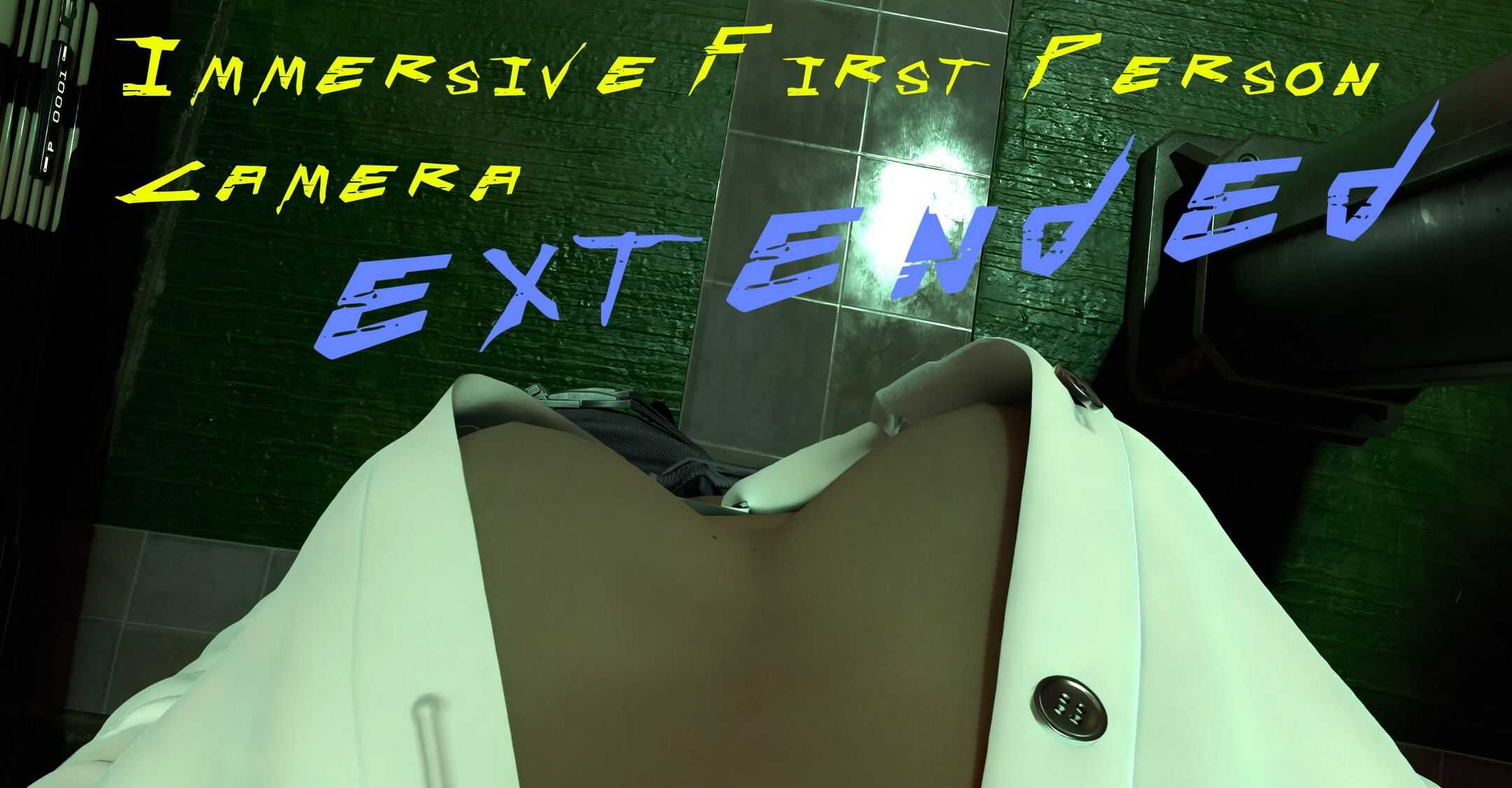
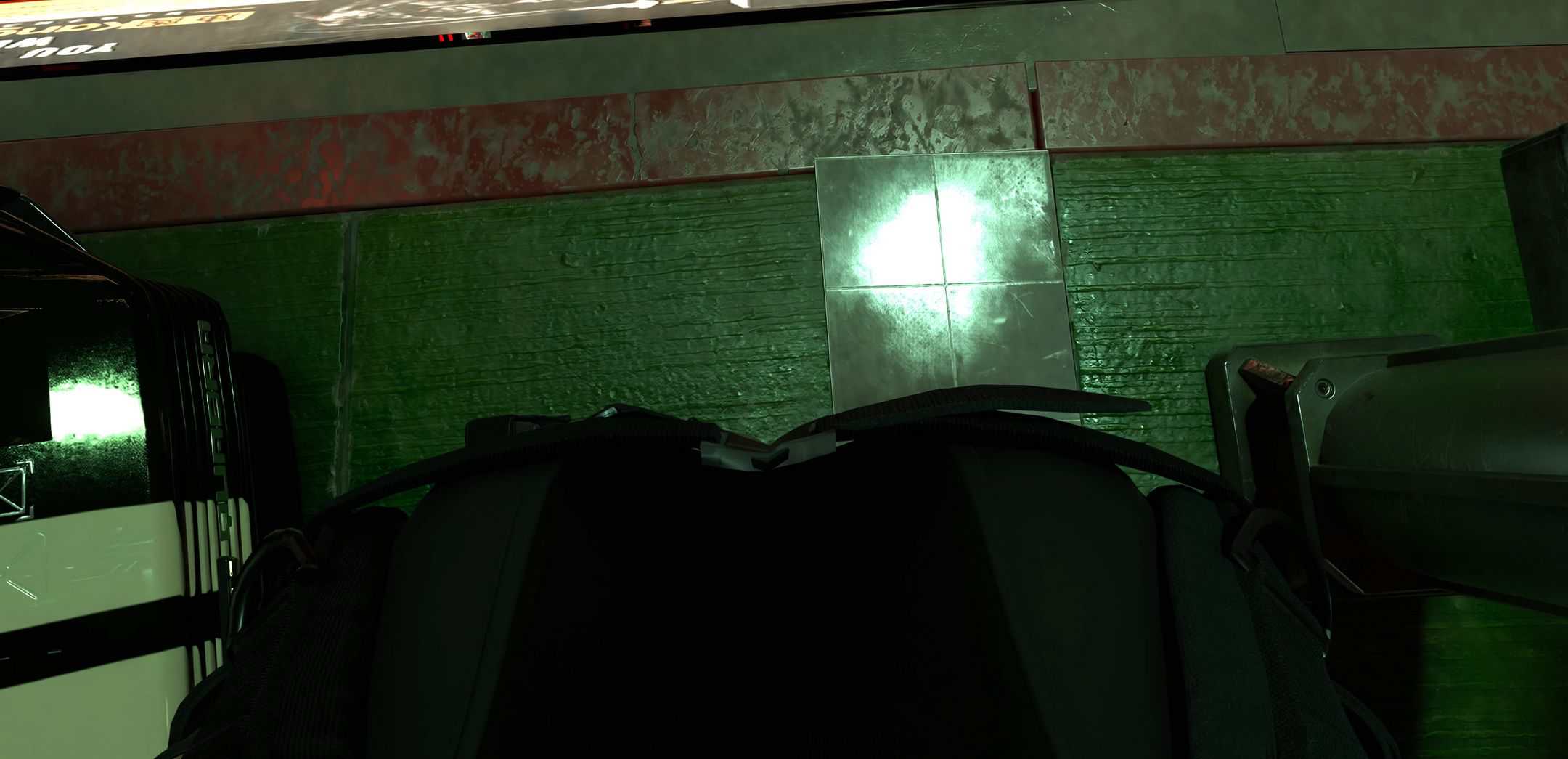
Get the most immersion possible by looking down and seeing yourself! Now with height, depth, lean & weapon support. Smoooth!
Required:
Cyber Engine Tweaks
Introduction:
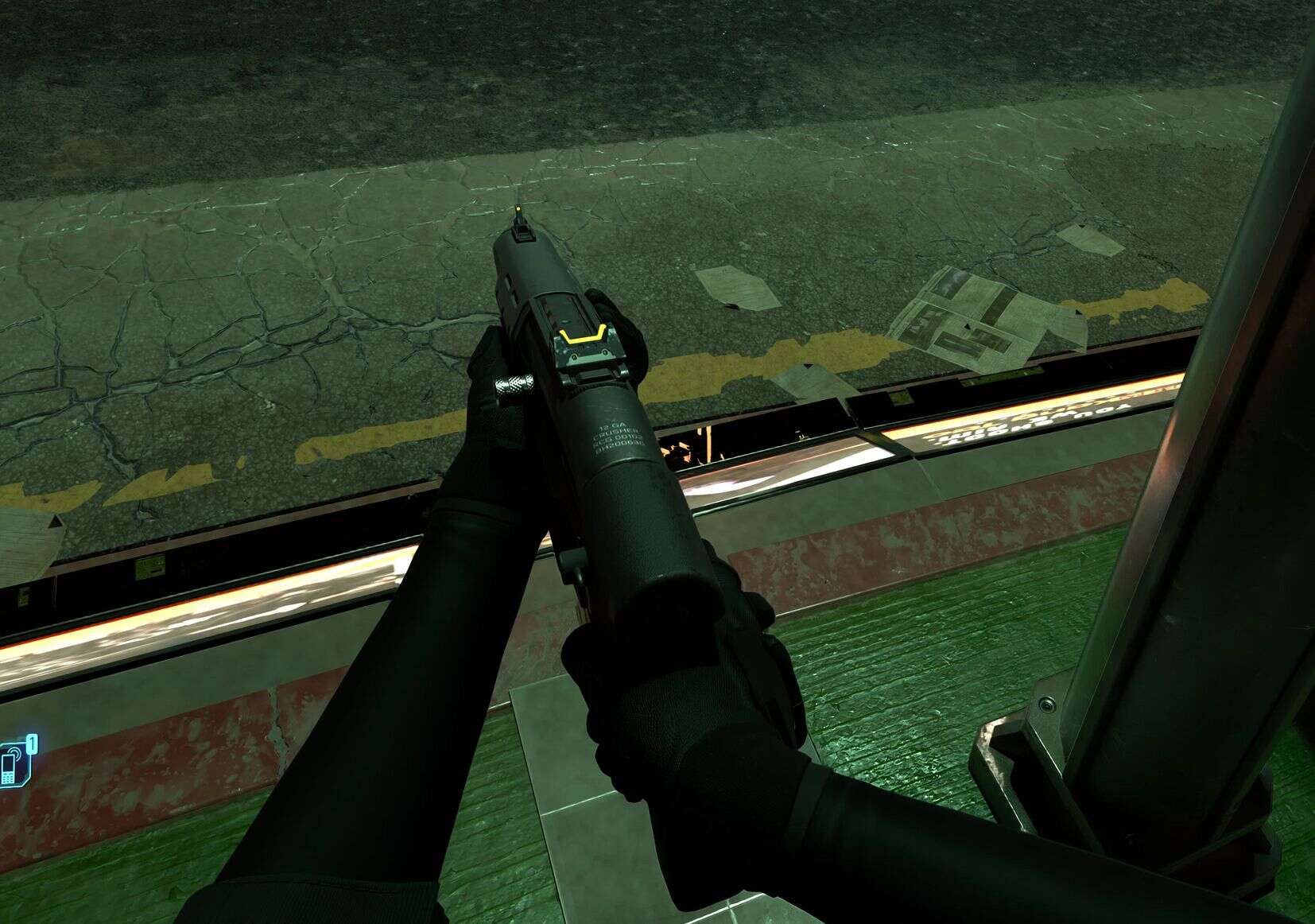
The game’s first person view is cool, but it also makes you short. And you can’t view yourself properly, either. Using guns you’re aiming between your arms, it’s just weird.
This mod aims to fix that as elegantly as possible by providing a completely overhauled first-person camera system with smooth procedural movement, freelook capabilities, and a robust lean system that actually works while aiming. It does this all seamlessly and you should only notice smoother, more immersive camera behavior.
Although it is CET based so if you’ve got a ton of CET mods, well… Maybe lose some?
The default settings have been tested to work very well and the mod is “install and forget”.
Long Description
So a few years (years?!) ago I found the Immersive First Person mod which is great. It’s just that the view were still at the height of my boobs, at best. So after a lot of fumbling about I managed to come up with the height adjustment which I released as it’s own add-on to IMFP with the blessing of Bonaniki, and it worked pretty dang well!
Except.. not with weapons. So I had to resort to letting the camera revert back to standard height whenever it was shooting times. This time around I’ve grown and learned a lot of l33t codes *cough* and I thought I’d give it another go…
I used some code from the mod Free Lean by Karner4on to get started but that being said, one of the biggest challenges during development was getting the lean system to work properly with weapon aiming. The math behind calculating roll angles, camera offsets, and smooth transitions while maintaining proper weapon alignment was… let’s just say it involved a lot of this:
Technically speaking what will happen is that the mod hooks into the camera component and applies procedural adjustments based on your current state. When you look down, the camera smoothly shifts forward and adjusts height to prevent clipping. When you lean while aiming, it applies compensating roll and offset to keep your sights aligned. When you use freelook, it allows full camera rotation with smooth restoration when you release, just as with the original mod, just with… Well, more. 😀
The lean system deserved special attention because vanilla Cyberpunk’s cover-based lean is… well, it exists. But what if you want to lean without being in cover? What if you want to lean while aiming down sights? What if you want the camera to actually stay where you put it instead of snapping back like an angry rubber band? This mod handles all of that with both hold and toggle modes, smooth roll transitions, and proper camera compensation for weapon aiming.
The technicality: The camera system uses quaternion-based rotations for smooth orientation changes, Vector4 positioning for precise camera placement, and a custom roll transition system that runs at 50 degrees per second for buttery-smooth lean animations. The weapon offset system modifies both IK offsets and stat-based aim offsets to ensure your weapon model and actual aim point stay synchronized with the raised camera position. It’s all very technical and involved way more trigonometry than I signed up for!
Request
I would be very happy to receive reports on your findings using this mod: which features work well for you, which settings you prefer, and whether you encounter any issues (and if so, what issues?). While I have used this mod myself through several iterations without any problems your mileage may vary. Though in reality, when I think about it, if you have any issues I’d rather not hear about it.
Features
Camera Height and Depth Adjustment
This mod started out with me wanting to adjust the height of the camera, to set it at a more natural position and so this is the key feature of the mod! Adjust it up, down, back, forth until you find something you like and feel comfortable with! ᕕ( ᐛ )ᕗ
Procedural Camera Movement
The camera smoothly adjusts position and FOV based on your pitch angle, preventing clipping and providing a more natural view when looking down or up.
Freelook System
Hold a key to freely look around without moving your character. Though you can still move around your character won’t turn when you look around. Includes smooth restoration with configurable speed, works in both standing and crouching positions, and properly respects your camera height settings.
Lean System
Lean left or right without needing cover! Features both hold and toggle modes, smooth roll transitions, and full weapon support including proper camera compensation during ADS. Just set the hotkeys in CET bindings menu and off you gooooo!
Weapon Support
Allows camera adjustments while holding weapons. Automatically adjusts weapon position during ADS to match camera height, includes configurable FOV offsets for iron sights and scopes, and features lean compensation with roll, offset, and height adjustments.
IMPORTANT: To get everything working nicely, the mod disables ADS zoom unless you attach a scope! It’ll use the zoom level from the scope!
Crouch Support
All features work seamlessly while crouching, with proper camera positioning and freelook functionality maintained.
Third Party Mod Support
From version 2.1.0 I have included support for Shift. See options below for more details.
Options
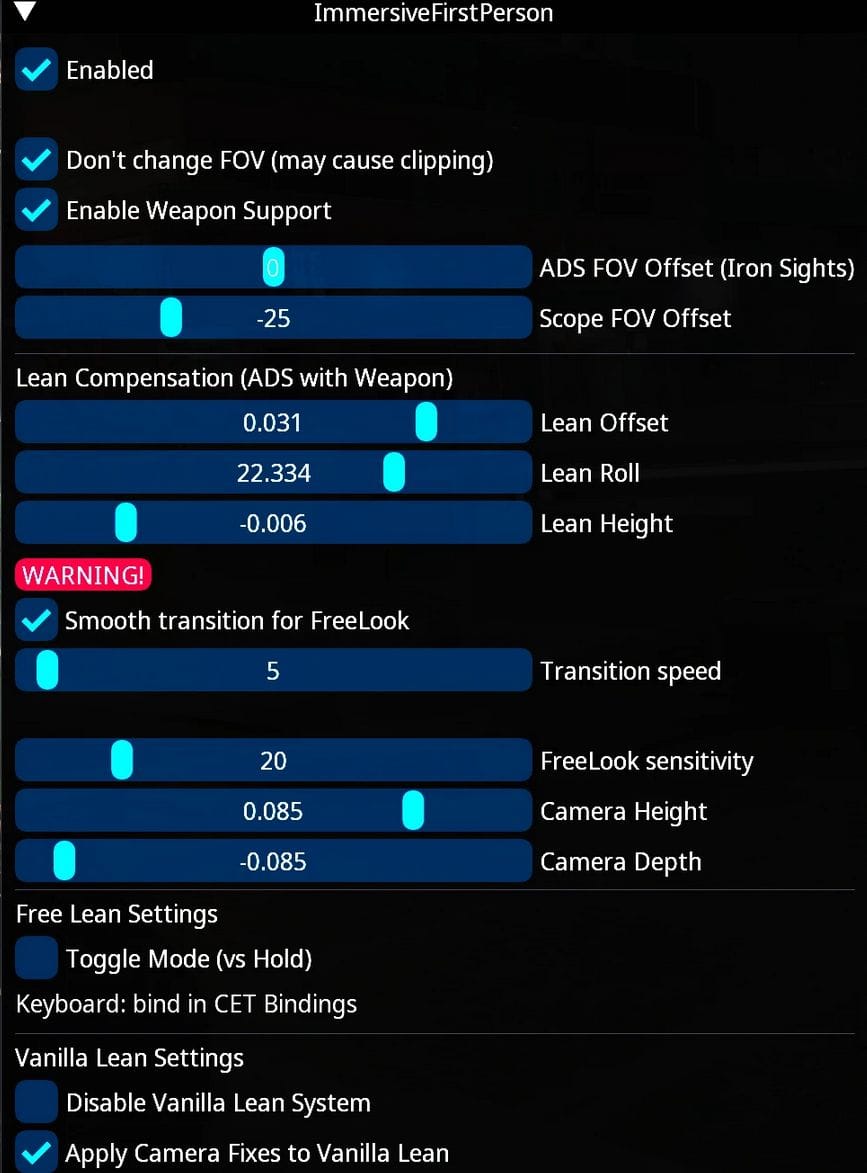
The mod comes with several options accessible through the CET overlay. All options are usable on the fly and require no restart or reload.
Enabled: Toggle the mod on/off.
Don’t Change FOV: Prevents FOV adjustments (may cause clipping).
Enable Weapon Support: Allows camera adjustment while holding weapons. Adjusts weapon position during ADS to match camera height.
ADS FOV Offset: Adjust FOV when aiming with iron sights (-60 to +60). 0 matches your regular FOV.
Scope FOV Offset: Adjust FOV when aiming with scopes (-60 to +60). 0 matches your regular FOV.
Lean Compensation Settings:
– Lean Offset: Sideways camera movement when leaning with weapon (recommended: 0.031)
– Lean Roll: Camera tilt angle when leaning with weapon (recommended: 22.334)
– Lean Height: Vertical adjustment when leaning with weapon (recommended: -0.006)
Smooth Transition for FreeLook: Toggle smooth camera restoration when exiting freelook.
Transition Speed: How fast the camera returns to normal (5-50, higher is faster).
FreeLook Sensitivity: Mouse sensitivity during freelook (1-100).
Camera Height: Vertical camera position (-0.15 to 0.15, recommended: 0.085 for eye level).
Camera Depth: Forward/backward camera position (-0.10 to 0.10, recommended: -0.085).
Toggle Mode (vs Hold): For lean system – press to lean, press again to reset (vs hold to lean).
Disable Vanilla Lean: Disable Vanilla Lean system, making only this mods lean system active.
Apply Camera Fixes to Vanilla Lean: Try to apply the same rotation and shift fixes to the vanilla lean system. NOTE: This is, for now, janky.
Vanilla Lean Only With Weapon: Disable vanilla lean when no weapon is being used. Unholstering a gun will allow vanilla lean system to work as normal.
Scene Level: This adjust at which scene level the mod is active.Cannot set lower than 2. Scene levels: 1) FullGameplay. 2) StagedGameplay. 3) LimitedGameplay. 4) FPPCinematic. 5) Cinematic. Default is 3, setting this lower may help in scenes such as the first braindance event when the wreath is placed on you, by deactivating the mod and returning camera to vanilla settings.
Disable While: Carrying a Body, Swimming, performing a Takedown, while Knocked Down: Separate toggles for each of these in the menu.
Disable if third party mod blocks: If another mod is found in a state which would block this mod from functioning correctly it will not try to control the camera until the blocking mod is no longer in a blocking state.
Disable Third Party Mods: Will try to disable Third Party Mods that might interfere with this mod.
Enable Third Party Mods only for Vehicles: This option enables using other mods while using vehicles.
Use Better Vehicle First Person: Will disable self and enable Better Vehicle First Person upon entering a vehicle.
Use Shift: Will disable self and enable Shift upon entering a vehicle.
Updates
2.0.0 – Complete lean system & weapon system! Fixed lean not resetting while aiming, added smooth roll transitions in both directions, fixed freelook camera reset when crouching, fixed roll snap when exiting ADS while leaning, fixed instant freelook snap-back with weapons, and fixed toggle mode to properly reset to center when pressing opposite lean. Phew! ヽ(´▽`)/
2.0.1 – Fixed issue when looking down and un-holstering a weapon, the IK offset of the weapon would apply too soon while the camera was in the wrong conditions, causing a bugged out view. Fixed issue where Freelook wasn’t using the appropriate values, causing jumps in height. Continual tweaks to various variables and stuffs! ☜(⌒▽⌒)☞
2.0.2 – Increased the max and minimum of the FOV sliders. Teeny weeny update for today!
2.0.3 – Okay, I couldn’t stay away soo.. Fixed entering the vehicle; now detects transition earlier, sets camera to 0,0,0, resets any weapon modification and turns itself off until the player is back out of the car (or bike) – at which point it re-enables itself. Fixed transition from FreeLook, it’s a bit faster now but in return it won’t (shouldn’t) get hanged up. Cleaned up some code. On another note I am turning nocturnal! /|\ ^._.^ /|\
2.0.4 – Added two options: Disable Vanilla Lean System and Apply Camera Fixes to Vanilla Lean. The latter is a bit jank, but it works… Mostly! ¯\(°_o)/¯
2.1.0 – Cleaned up menu behavior. Added options to disable mod when: carrying a body, swimming, performing a takedown, while knocked down. Added support for disabling third party mods, will now always disable third party mods that might interfere (if it finds them) on game start – once in-game it will respect options chosen in the menu. Added support for Shift while in a vehicle, added support to control Better Vehicle First Person while in a vehicle.
2.1.1 – Not released, mostly a test version.
2.1.2 – Fixed toggle lean not releasing when sprinting. Changed logic in how we deal with Shift which should fix the issue with missing presets. Added a slider for Scene Level: this decides which type of game scenes the mod will be active. Setting it to 2 might allow animated scenes such as first Braindance event at Judy to position the wreath correctly at the cost of lower camera height for the scene duration. More robust reset of weapon offsets. Mostly a hold-over version before new features. [¬º-°]¬
2.1.3 – Fixed gun handling not being properly disabled while in a vehicle. Added option to disable vanilla lean system only when no weapon is being used.