TV Volume Control v1.1
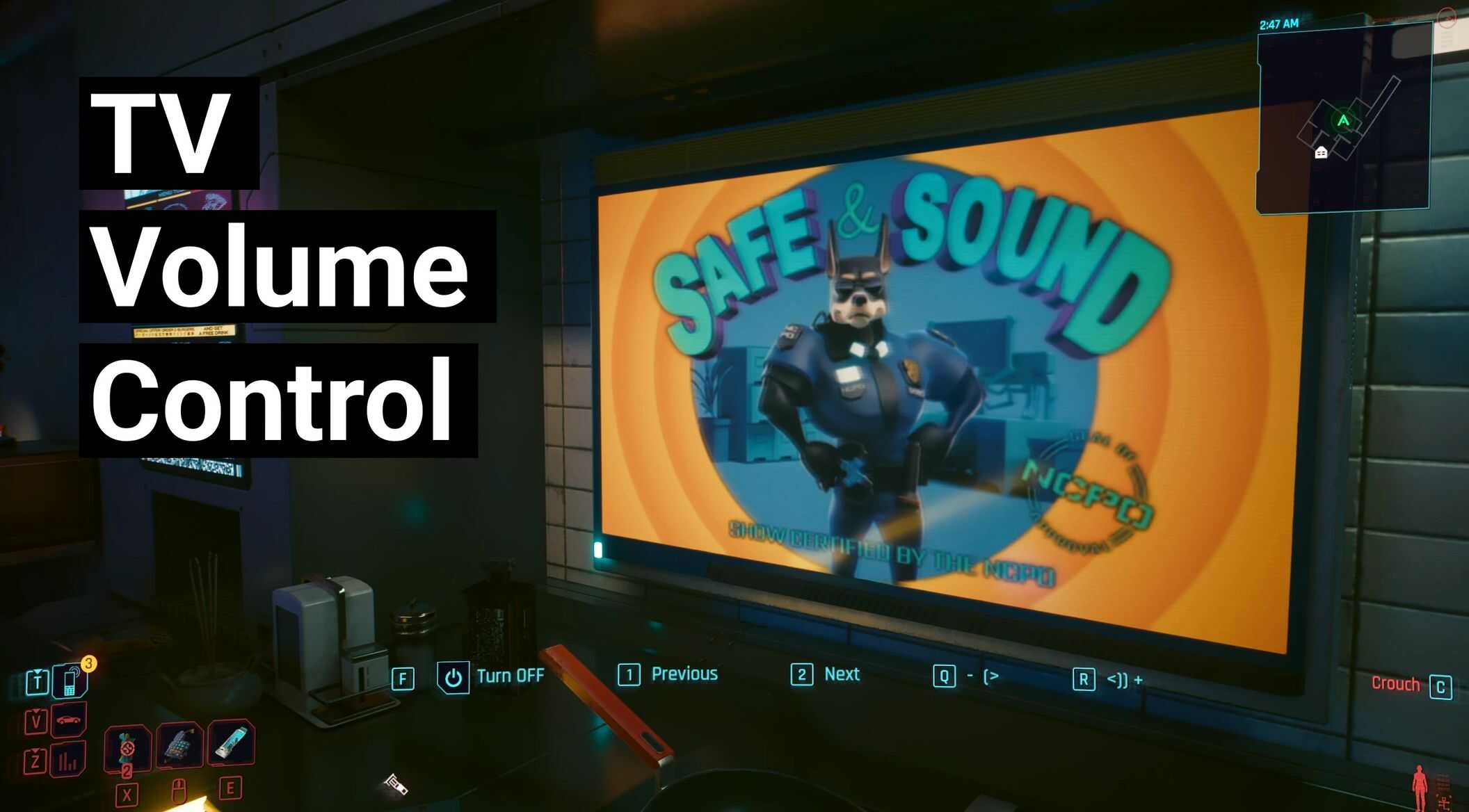
Adds volume options along side the Off / Previous / Next options on TVs – Not compatible with TV Mute Control mod, includes it’s own mute option!
Required:
TweakXL
ArchiveXL
redscript
Basics:
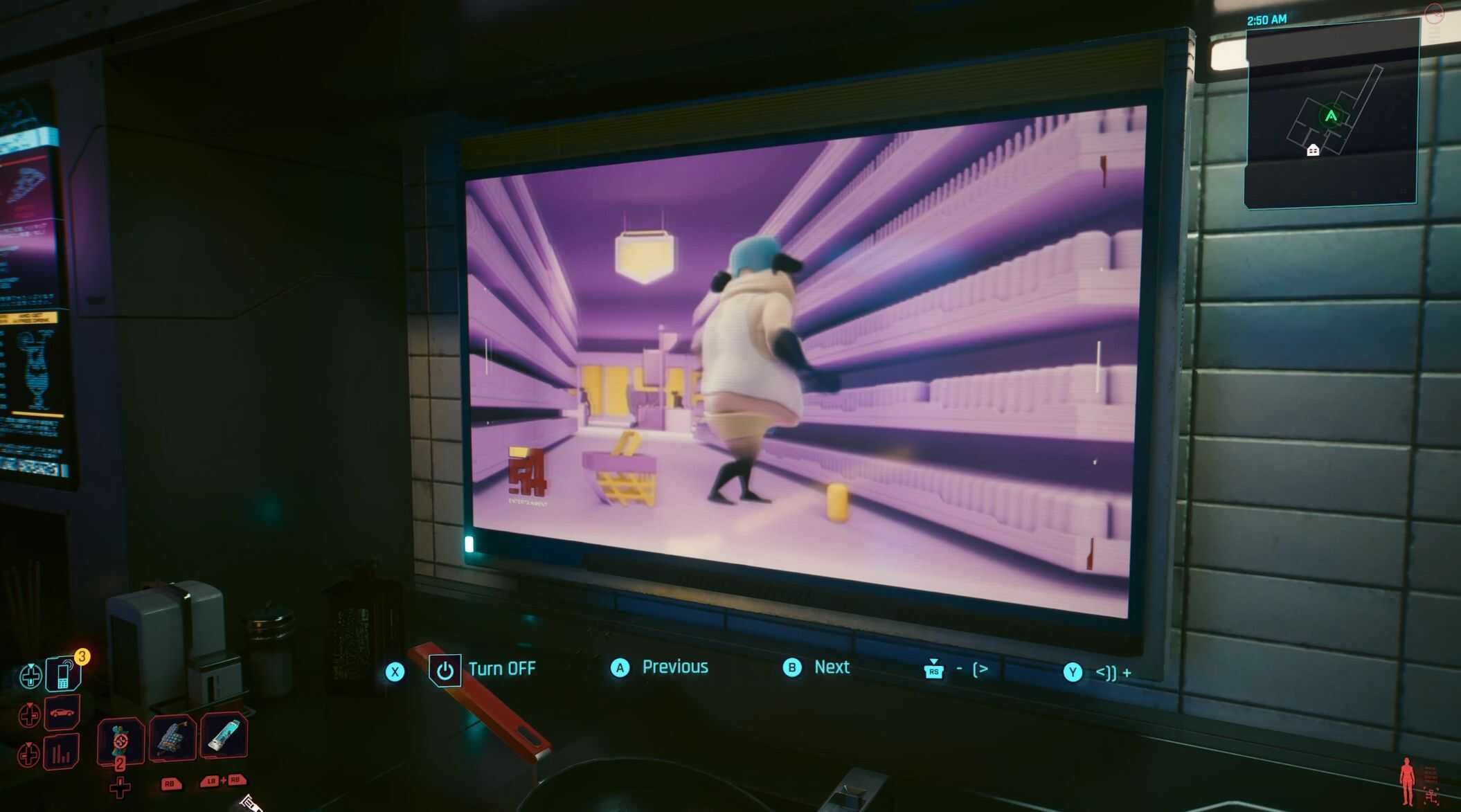
Adds volume options along side the Off / Previous / Next options on TVs
Only applies to TVs that have these options available to V at the time
This is quite a bit more complex than the Radio version, and as it actually edits some TV entity/appearance files I’ve kept the TV Mute Control mod up as a lighter weight option if you don’t want this mods full features.
Options:
Mute (only shown when at 1) KB default ‘Q’, Gamepad default ‘R-Stick’:
‘Mute’ – Localized, same as TV Mute Control
Down (only shown when above 1) KB default ‘Q’, Gamepad default ‘R-Stick’:
– (>
Unmute (only shown when muted) KB default ‘R’, Gamepad default ‘Y’:
‘Unmute’ – Localized, same as TV Mute Control
Up (only shown when blow 11) KB default ‘R’, Gamepad default ‘Y’:
<)) +
Volume can either be muted, or it can go from the default [1] all the way to 11! It goes in jumps of 2 (1-3-5-7-9-11)
Single jumps don't feel great as it is a lot of button pressing.
The volume can't go lower than the default game's TV volumes, without being muted, 1 is the minimum.
TVs should remember this setting between being turned off and on again, but this might not be 100%
Compatibility?
Not compatible with TV Mute Control – this mod is a more complicated/complex controls version
No conflicts expected in the code side, as the redscript methods that matter are all additions or wrappers
No actual audio files are edited
Any mods editing the TV appearances themselves may cause issues
Languages?
I’ve setup the mod to have icons [- (> | <)) +] so there's no need for actual text on those!
Mute/Unmute uses localized text for all game supported languages, but I'm not sure how well some of them will work on screen!
As some versions (looking at you, German) are quite long compared to the 4/6 letters for Mute/Unmute
If it is a problem you can edit the .archive.xl file to point your languages option towards the en-us file.
Please also let me know if there is a shorter/better version of any localization and I can swap them out!
I might also be able to just swap out the 'Mute' option for another 'icon'? Maybe [-- X>] ?
Installation?
Unzip the main zip into “Cyberpunk 2077” folder so that the:
TvVolumeControl.archive and TvVolumeControl.archive.xl ends up in the “Cyberpunk 2077\archive\pc\mod” folder
TvVolumeControl folders, and contents, end up in “Cyberpunk 2077\r6\scripts” and “Cyberpunk 2077\r6\tweaks”
AND
If you have TV Mute Control, uninstall it – at least delete the TvMuteControl folder from the “Cyberpunk 2077\r6\scripts” folder, the other files shouldn’t really interfere.
Uninstall?
Simply delete the TvVolumeControl.archive file from the mod folder, and the TvVolumeControl folder from the “”Cyberpunk 2077\r6\scripts”” folder. The other files can then
be deleted too, but they have no effect without the script folder/file
Limitations and bugs?
Limitation: TV volume cannot go lower than the default.
I’ve tested the mod on a few TV, but obviously not all TVs in Night City, please report any bugs found!