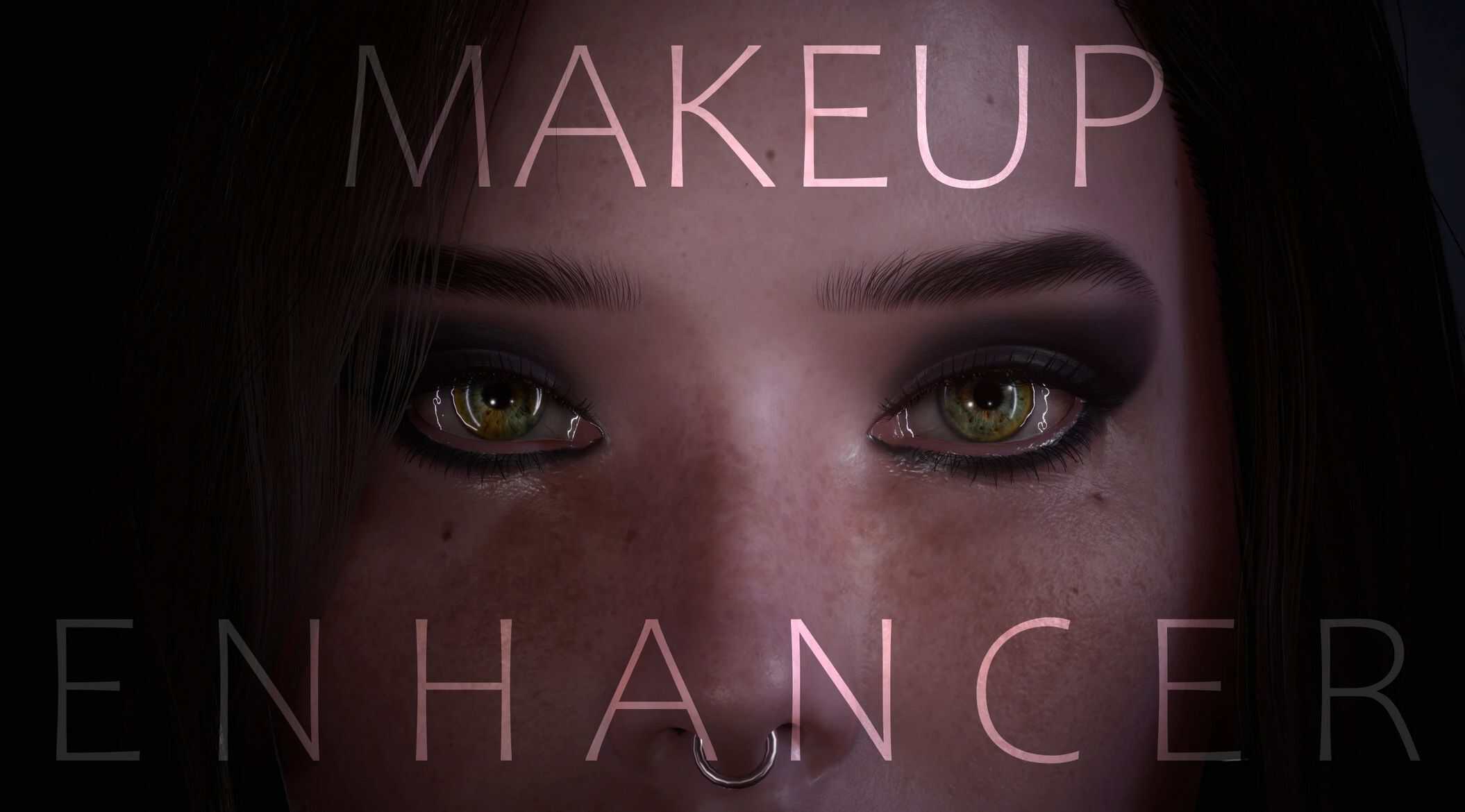
MAKEUP ENHANCER – Realistic Eyeshadows and Eyeliners – Noise Decal Fix – Both V – NPCs v1
Enhances the overall visual quality of base game eye makeup for both V and all NPCs, and will also improve existing makeup replacer mods and CCXL. Fully compatible with everything.
About this mod
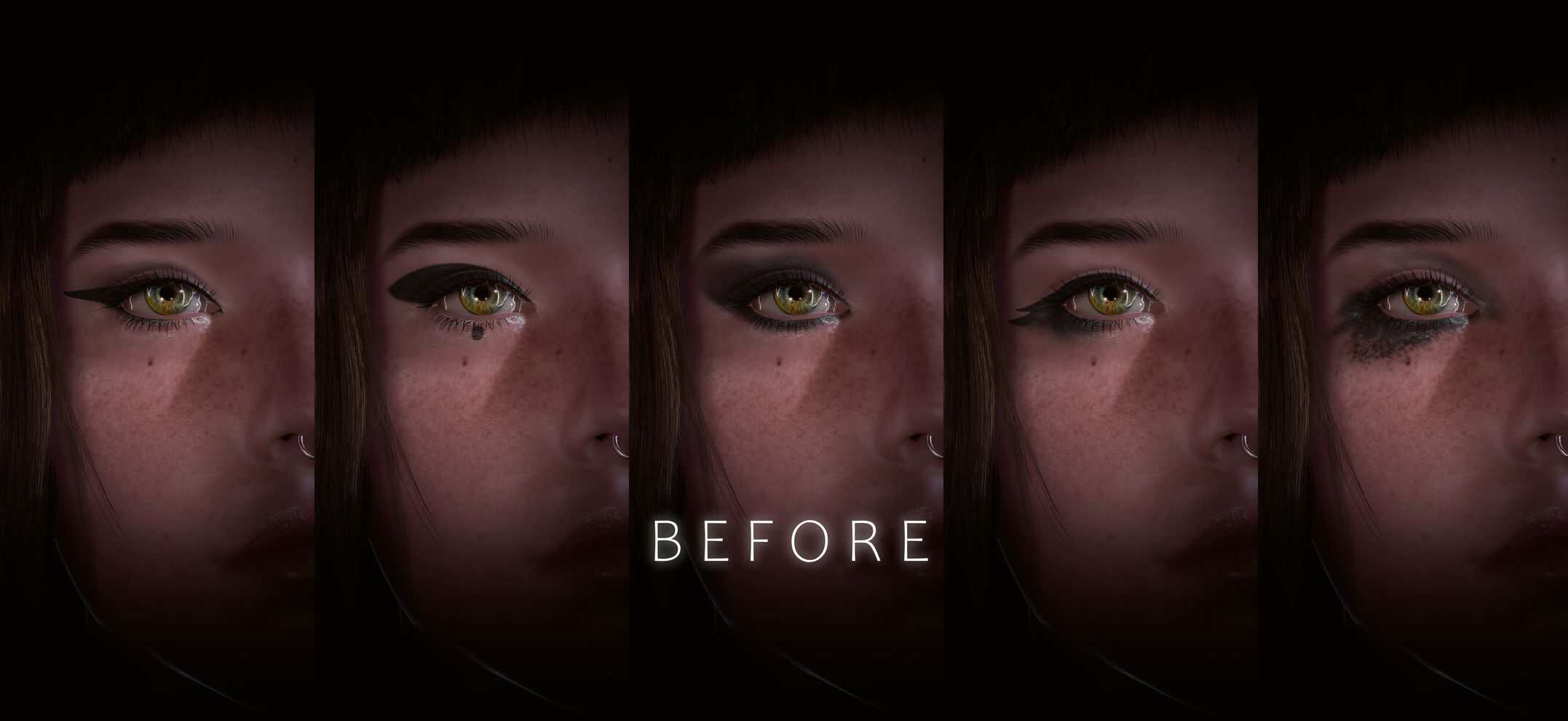
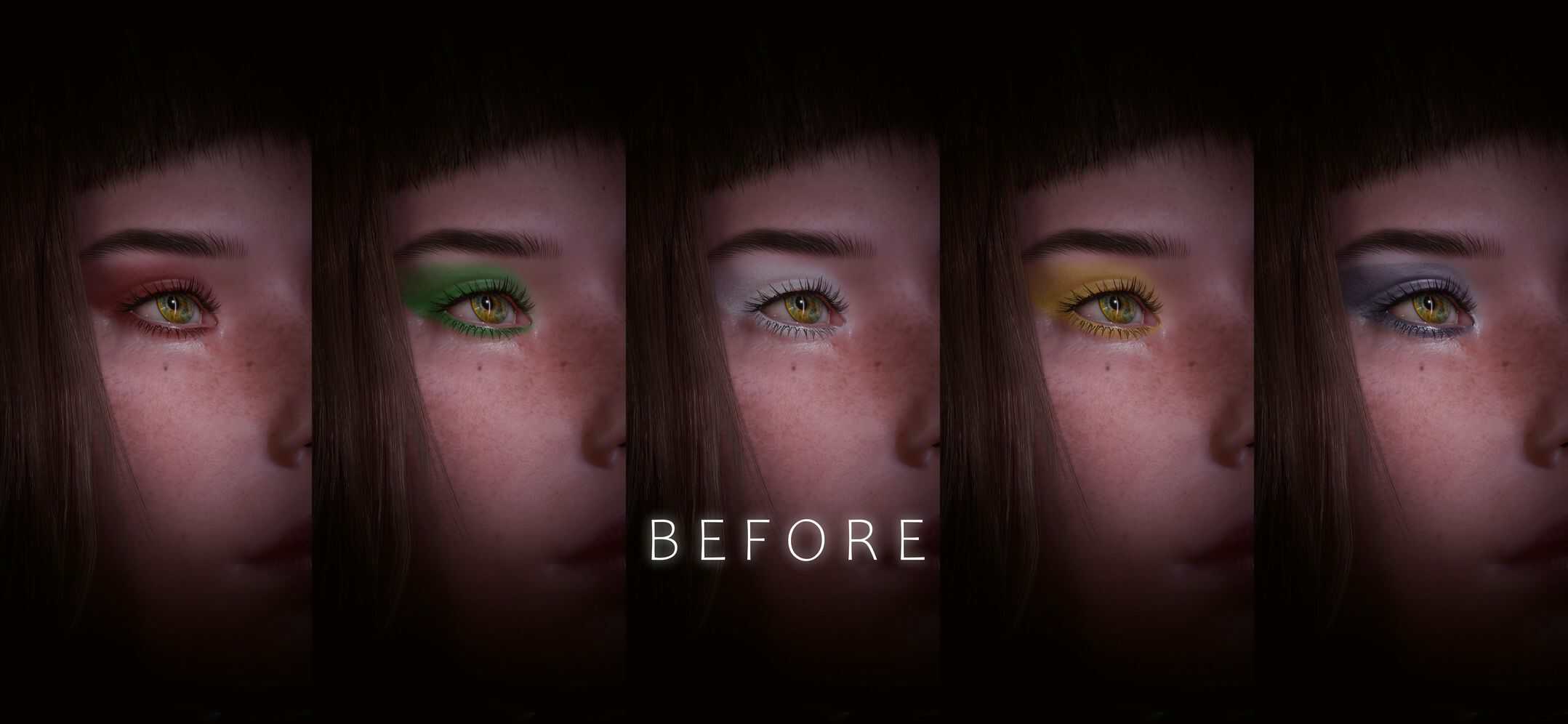
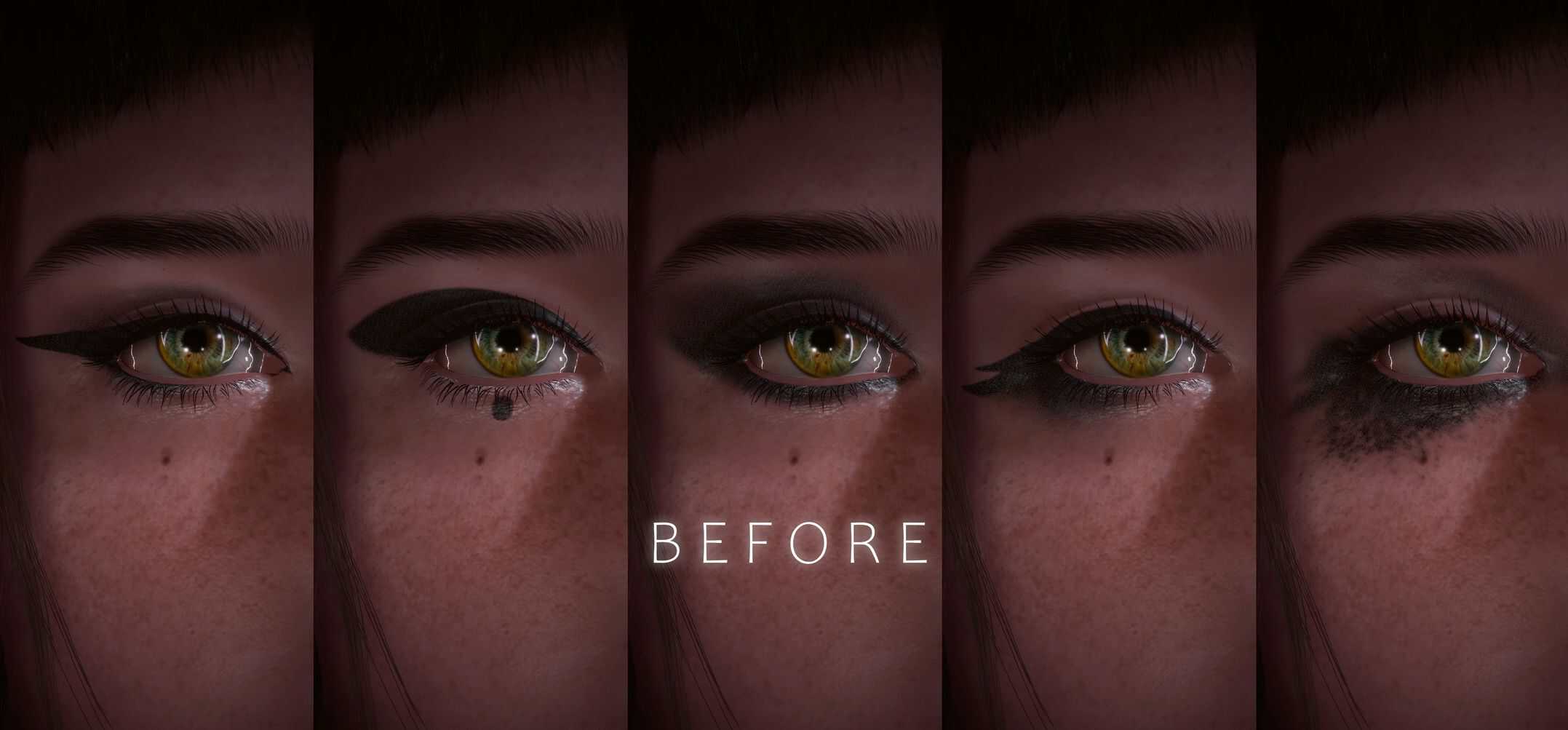
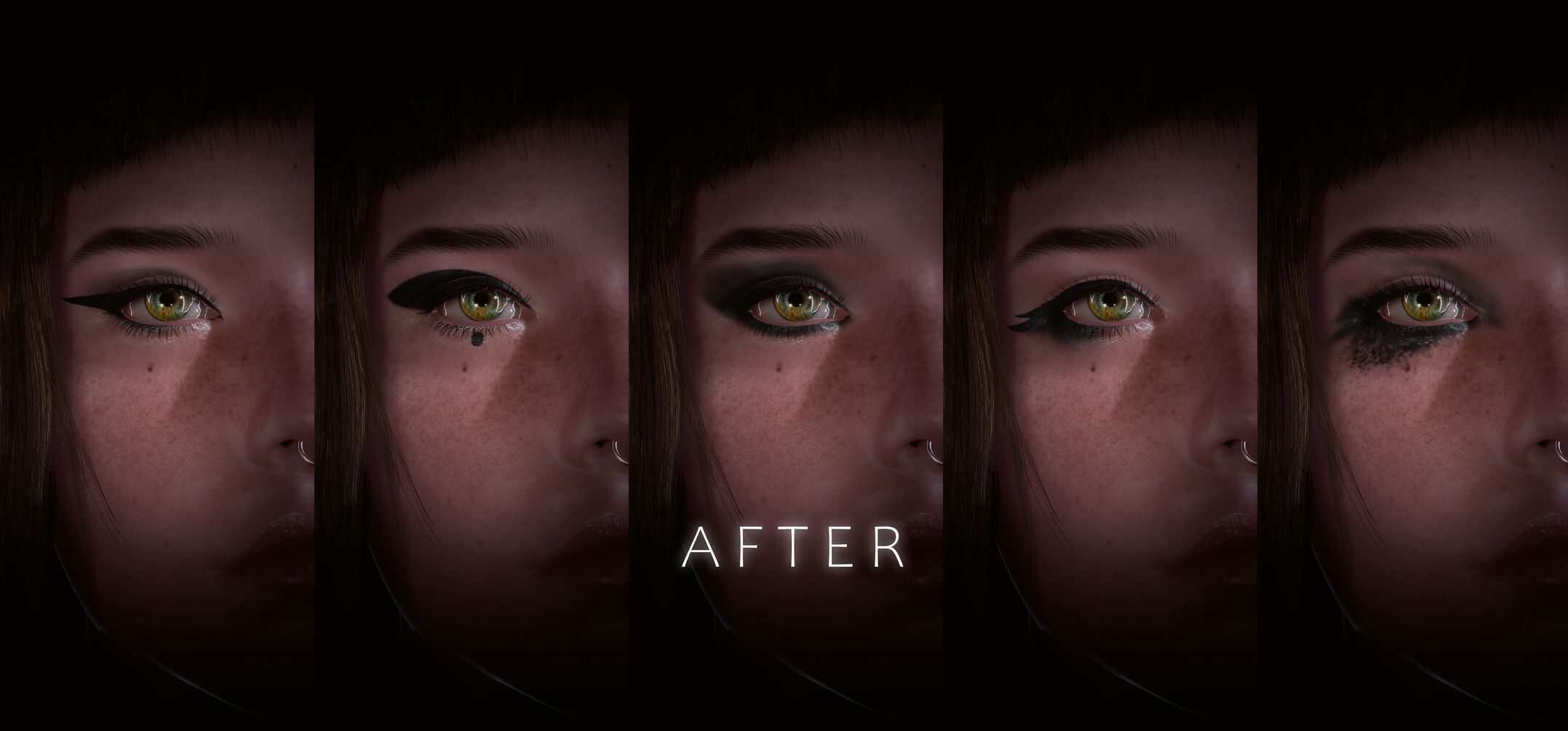
A simple mod to replaces the ugly noise decal texture that makes all basegame eye makeup look more like a visual artifacts party than something actually cool, with a much cleaner and smoother noise decal map that doesn’t show repetitive patterns.
(yes it always annoyed me, and I even started avoiding basegame makeup because of it and the weird buggy look it gives when you want to take close up portrait.)
Glad it was easy to fix.
This mod will affect all basegame eye makeup CC options for both male and female V, as well as any NPCs using it.
It also will affect every modded eye makeup replacers, and CCXL ones.
It makes them look fuller and simply more realistic at both close and far distances.
It’s compatible with all makeup mods out there, as it replaces an extra texture layer that, to my knowledge, hasn’t been modified yet.
Technical note
This texture appears to be used only by eye makeup. Based on my tests and A/B screenshots across different NPCs and assets, everything it affects consistently applies to eye makeup and nothing else.
However, since it’s a noise decal, it can be used elsewhere. It’s set up in the character common files, so it should only affect appearance features. That said, if you notice any issues, please let me know and provide some before/after screenshots so I can check on my end and try to find a solution.
So far though, at least for all the main NPCs I’ve tested, it results in a subtle better-looking makeup overall while removing artifact and keeping intact the original artistic direction of the game. Then im quite confident to say its safe to use.
The original texture is 64×64, and I replaced it with a 256×256 version, so any performance cost (if there is any at all) should be very minimal.
That said, I also provided a 64×64 version for those who are more concerned about performance. Edge fading is a bit less smooth, mostly noticeable on metallic colors & eyeshadows, but it still removes the artifacts.
Installation
To install:
Extract the compressed file, then drag and drop the “archive” folder into your Cyberpunk2077 directory.
To uninstall:
Delete this mod’s .archive files from:
Cyberpunk2077\archive\pc\mod