KiasuBurger Cyberware Core v2.0.15
Required:
ArchiveXL
Codeware
Dusty Virtual Atelier
Description
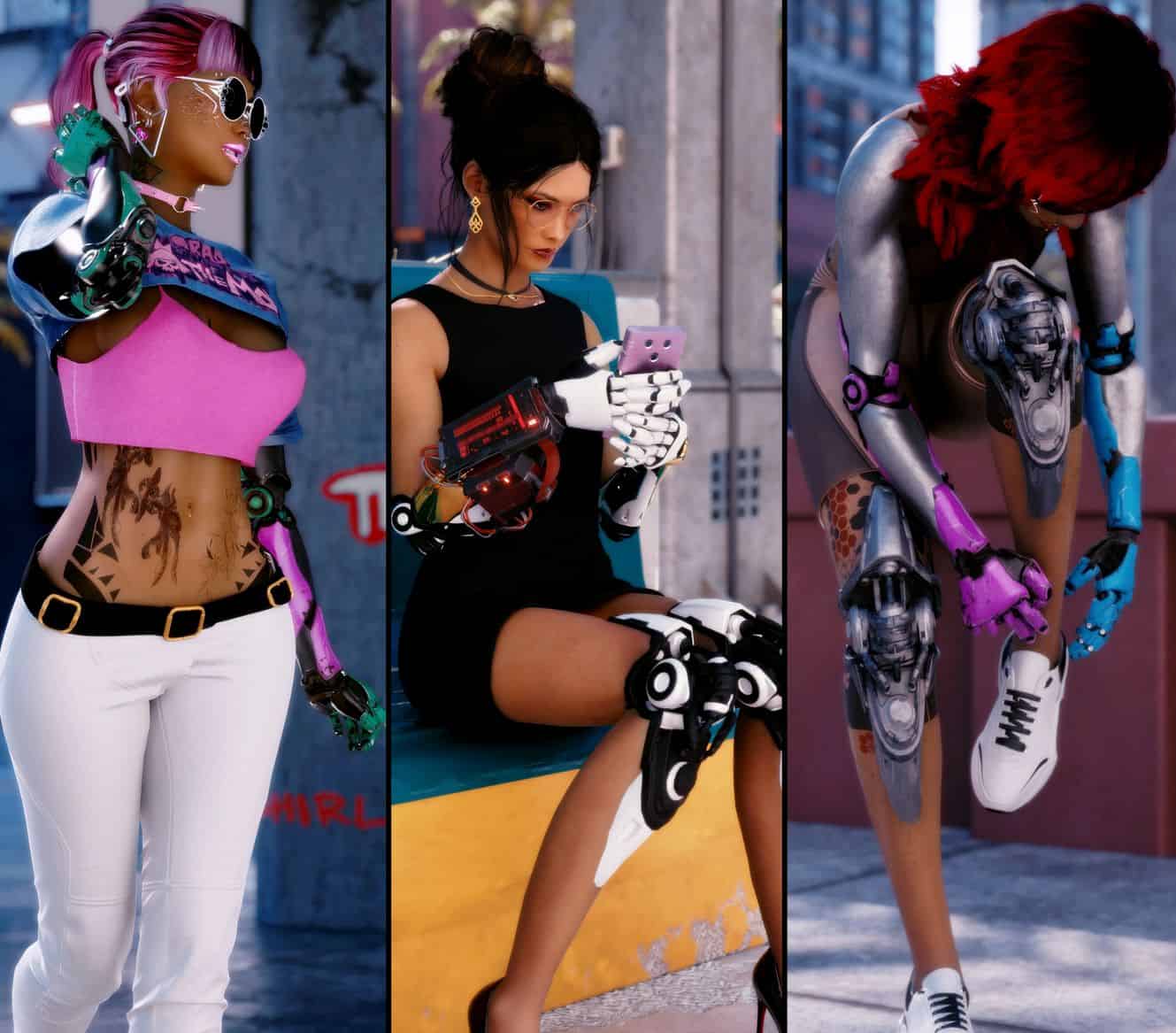
This mod provides core functionality and Virtual Ateliers for my Cyber Arm and Leg mods. You must download and install those mods to use them.
To avoid an overwhelming number of items, there are three four five six separate Ateliers, and my various mods appear in each of them:
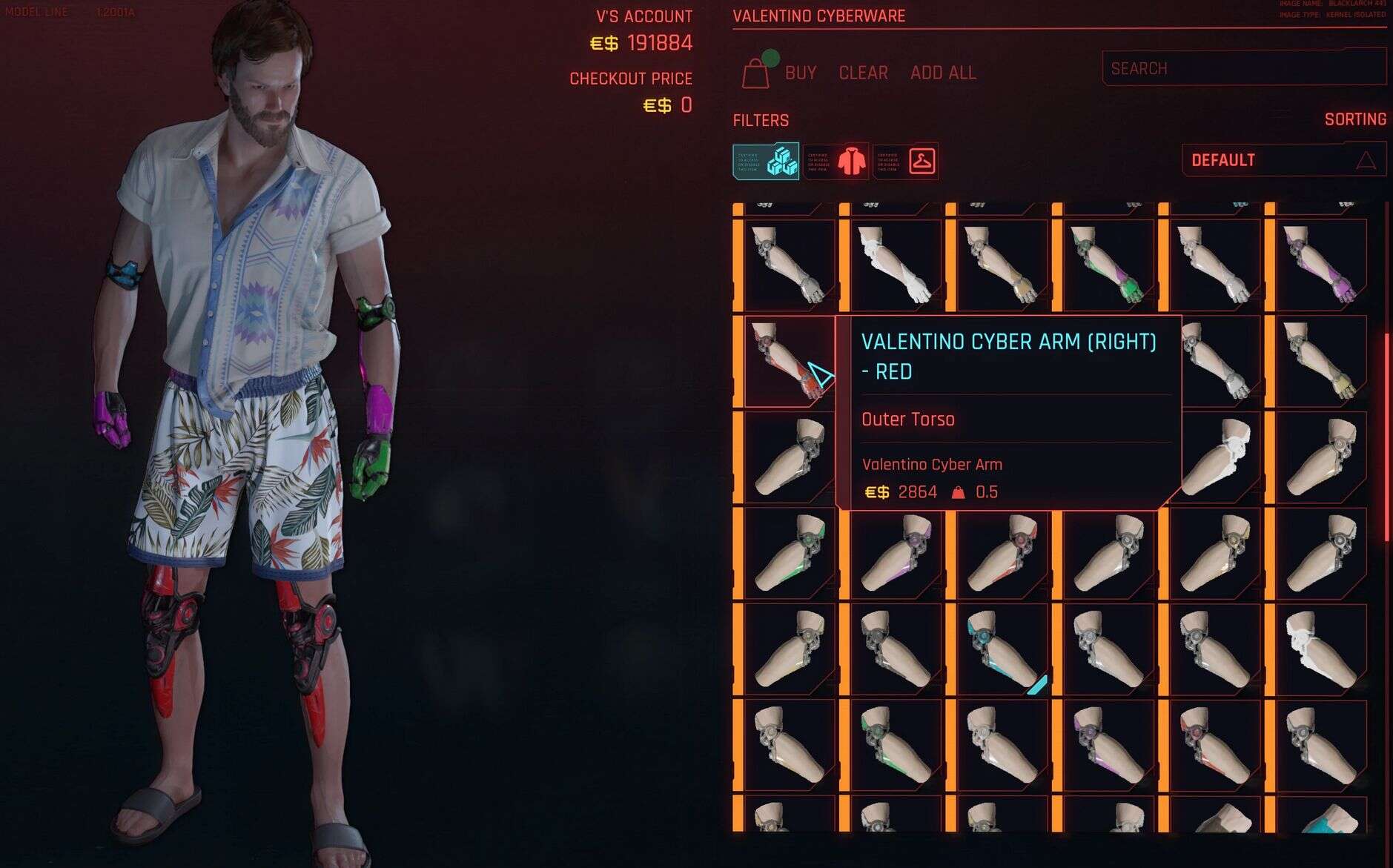
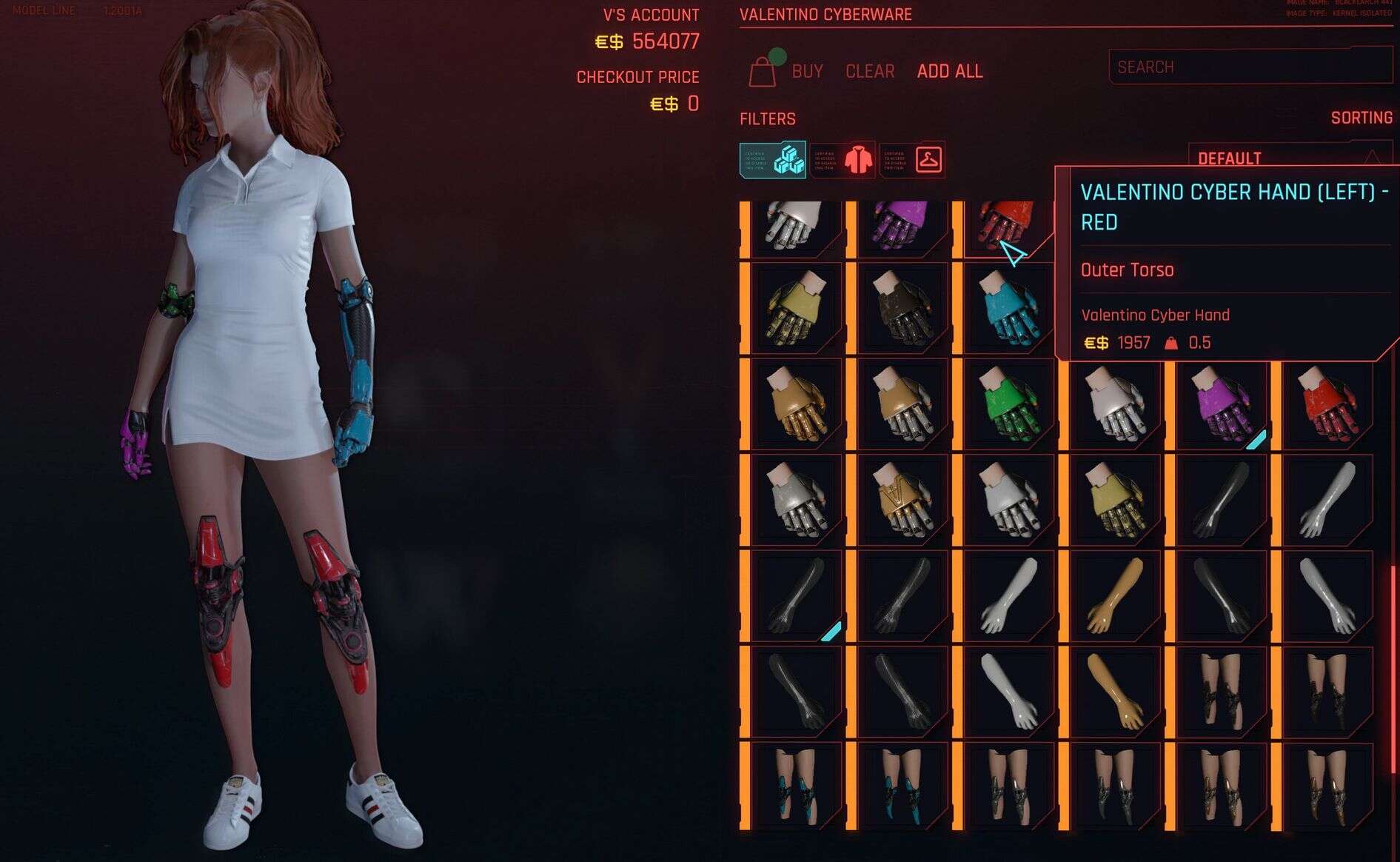
KiasuBurger Valentino Cyberware
– Valentino Cyber Arms
– Valentino Cyber Knees
KiasuBurger Arasaka Cyberware
– Karina Lee and River Ward Hands
– Dex Arms
KiasuBurger Cyberware
– Songbird Hands
– Alt Hands
– Inorganic Skin Materials
– Model 003 Arms
– Netwatch Arms
KiasuBurger Player Cyberarms
– Gorilla Arms
– Mantis Arms
– Monowire Arms
– Launcher Arms
KiasuBurger ZetaTech Cyberware
– Kurt Hansen Arms
– Barghest Arms
KiasuBurger Tygerclaw Cyberware
– Kitsch Cyber Arms
– Kitsch Cyber Legs
Hiding Tags Only
If you don’t want any of the Virtual Ateliers, you can download the “Hiding Tags Only” file instead, and this will just provide the hiding logic required to use my arm/hand mods.
Arm Compatibility Fixes
For historical, but unrelated reasons, the KSUV Framework’s Vanilla Fem right arm and the Vanilla HD 2.x Body’s right arm have non-standard submesh ordering, which breaks my mods’ ability to correctly provide a replacement hand or arm. To fix this, I’ve added compatibility fixes that you can download from this mod page. You should install them if you are using those bodies/arms and uninstall them if you switch to different bodies (or the right arm will no longer match your body).
The newer Vanilla HD 3.x body fixes this problem, and releases of the KSUV Framework >= 4.1 include a fix as well, so hopefully these become unnecessary for most people over time.
(These fix files used to be provided on each of my individual mod pages, but they’re always the same files so it made sense to move them to the core mod page)
Interactive Vendor
If you want to get the full immersive experience of buying my items from a vendor, Jmolinares03 has created a mod just for that!
Frequentyly Asked Questions
My cyberware parts disappear when showering or in other scenes with no clothing. What’s going on?
As equippable items, all my cyberware mods are classified as clothing by the game, so, surprise surprise, they are removed in scenes where V is not wearing clothing. If you want cyberware parts to always be part of the player body, independent of clothing, I have a separate mod that allows you to do this. Check out my Player Body Cyberware Injector. You will trade off some flexibility in how easily you can alter the cyberware loadout, but you get to choose which approach you want to take.
Why are these using Fingernail slots?
This is due to the need for arm replacement parts to be layered below any clothing items you are using. The ‘logical’ arm, elbow, and hand slots in Equipment-Ex are also configured to layer above clothing, as they are expected to be used for things like armour or gloves, etc. Only the fingernail and toenail slots are guaranteed to layer below clothing, and I’ve standardised on using the fingernail slots for arm items.
If you move an item to another slot, there is a high chance you will see Garment Support glitches such as the arm getting compressed by items that are not on top of it, or vice versa.
What about player Cyberarm compatibility?
The player Cyberarms (Monowire, Mantis Blade, Gorilla, Launcher) are tricky to handle as they completely replace the whole arm themselves, use a completely different mesh structure, and have custom rigs and animations. The end result is that it’s impossible to replace them with equippable items without fancy scripting, and maybe that’s not even possible.
Note that some body mods remove cyberarm parts completely and replace them with a combination of normal arms and empty meshes. If you use one these mods, you won’t see any cyberarm parts at all.
I use selective hiding rules to keep certain parts of the player cyberarms visible (like the mantis blades and the launcher mechanism) so that you can see them in action, but you will not see the arm opening. The end result is visually imperfect, but not too bad overall.
I get a gap at the shoulder when equipping an arm/hand item with no torso clothing on. What’s up with that?
If you are using a body with working Garment Support (usually just the vanilla bodies), you will sometimes see the arm shrink, causing a gap to appear at the shoulder (where the body is not shrinking). This is due to a Garment Support interaction between the arm and facial piercings (yes, really). To avoid this, install the PRC Modular Jewellery Framework and use it to recreate your piercing arrangement (or create a new one, it’s very customisable). This will eliminate the problem.
Why can I only equip one item at a time
You are trying to use the base game wardrobe. There are not enough slots to equip an interesting number of items. You must install and use Equipment-Ex as covered in the requirements
The arm/hand/leg shape doesn’t match my body. Help!
You have either not installed the matching texture framework optional file for the mod (in which case it will always be using vanilla arms), or you did not install the body tag file for the body mod you are using (in which case my mods don’t know that you’re using that body). This is most likely to happen with the Atlas and Adonis bodies where the body tag file is a separate download from the body itself, and can be missed. Other bodies include the body tag file in the main download.
Less commonly, if you are using Vortex, you must order the optional file so that it takes precedence over the main file or you’ll always end up with vanilla parts being selected.
The arm/hand/leg shape doesn’t match my body after installing an update to the arm/hand/leg mod. Help!
If it was working before and then stopped, you forgot to reinstall the optional file after installing the update. As the base tweak yaml file is in the main download, an update will always overwrite it with the vanilla version.
Sometimes when I equip an inorganic material item, the arm becomes invisible
The scripting technique I’m using to apply the materials is imperfect, and while I’ve tried to work around it, there can still be situations where the game applies the appearance before loading the materials, which leaves things invisible. Unequipping and re-equipping the item, or switching between materials a few times should make it appear.
My arms are partially invisble or have strange colours that aren’t what the description says when I use Inorganic Materials.
What’s up?
You are almost certainly using arms like the Solo arms (1.x, or 2.x), which do not include proper player Cyberarm support (ie: they just look like regular arms). These arms are built differently from real cyberarms (of course) and so the materials are applied incorrectly. To address this, use my Decorative Player Cyberarm mods as well. This will both give you the visual appearance of the cyberarm you are trying to use, and the correct inorganic materials
Why does the Shaitan or Carbon Fibre inorganic materials pattern look wrong?
Please update your version of the Inorganic Materials mod. Starting from version 1.1.0, the pattern will look correct on Vanilla and VTK, where previously it only looked correct on KSUV body mods.
What makes the Decorative Player Cyberarms different from the real ones?
As the name suggests, the decorative ones just have the visual appearance of the real player cyberarms. I created these mods to provide the ability to mix and match parts of the player cyberarms with each other and with my other arm/hand mods. So you can use Gorilla hands with Valentino arms, for example. And you are not restricted in terms of which real player cyberarm you use for in-game effects (eg: you can use decorative gorilla arms while still using the real mantis blades as your preferred weapon). The decorative arms also do not animate like real cyberarms, due to modding limitations.
Why does the game keep crashing with a redscript error saying the virtual atelier scripts are out of date?
This is a deceptive error message. It means you haven’t installed the main Virtual Atelier mod. Either install it, or switch to the hiding-tags-only version of the Cyberware Core download if you don’t want the Virtual Atelier stores.
Why do I get a gap between the hand and arm when using Solo arms with some other body mod?
When you combine Solo arms with another body mod that uses a body tag (most of them at this point), there will be two body tags set when you play (one for the body, one for solo arms) and ArchiveXL behaviour is undefined in this situation – so other mods will only see one body tag or the other. In most cases, the actual body’s tag will end up being used rather than the solo arms tag, and the end result of this is that my mods will use the body’s matching meshes while the normal arm will be the solo arms meshes. If you use an arm-only item or hand-only item from my mods, then the unmodified hand/arm will be the solo arms one, and the parts won’t match. You can work around this by always using both an arm and a hand mod (or an arm mod that includes a hand) so that all the parts match. But this sill won’t be a perfect solution as you’ll still have the non-solo-arms meshes from my mods.
On the other hand, if the solo arms body tag wins, you’ll get the right arms, but presumably all your clothing mods will use the wrong meshes. So you’ll lose one way or the other. The only way this can really be fixed is by AXL to have a first class concept of an arm type vs the body type.
How do I obtain any of your mod items?
The basic options are the same as for any equippable item mod (eg: clothing).
– Buy them from the Virtual Ateliers contained in this Cyberware Core mod. Item distribution across the ateliers is listed above.
– Buy them from the immersive vendor kindly provided by Jmolinares03
– Use the CET console with the codes provided on each mod’s description page